


Elderly phones, also called senior citizen phones, are mobile phones designed for older adults at home. Today, many people have smartphones, but seniors often find them hard to use. Complicated menus, small text, and tiny icons can make it difficult for them. As a result, many older adults hesitate to use smartphones.
To help older adults enjoy digital technology, our Ola Tech editors suggest downloading these apps on Android phones. They can use large fonts and simple modes to easily access WhatsApp, Facebook, YouTube, Instagram, TikTok/Douyin, or Xiaohongshu. Now, they can have fun with their smartphones!
Here is a video tutorial available in Cantonese.
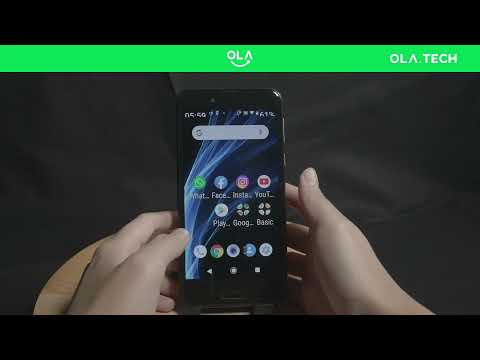
1. Simple Mode – Make the phone interface simpler
“Simple Mode” can enlarge the font size of the mobile phone desktop, and the icons can also be enlarged. Although some mobile phone brands also provide similar functions, after trying it, the editor feels that this “Simple Mode” is the simplest and most suitable application for the elderly, so I recommend it to everyone to help the elderly download it and use it on their mobile phones.
After installing “Simple Mode”, the mobile phone desktop will become larger (as shown in the picture below), making it easier for the elderly to read and press the buttons:
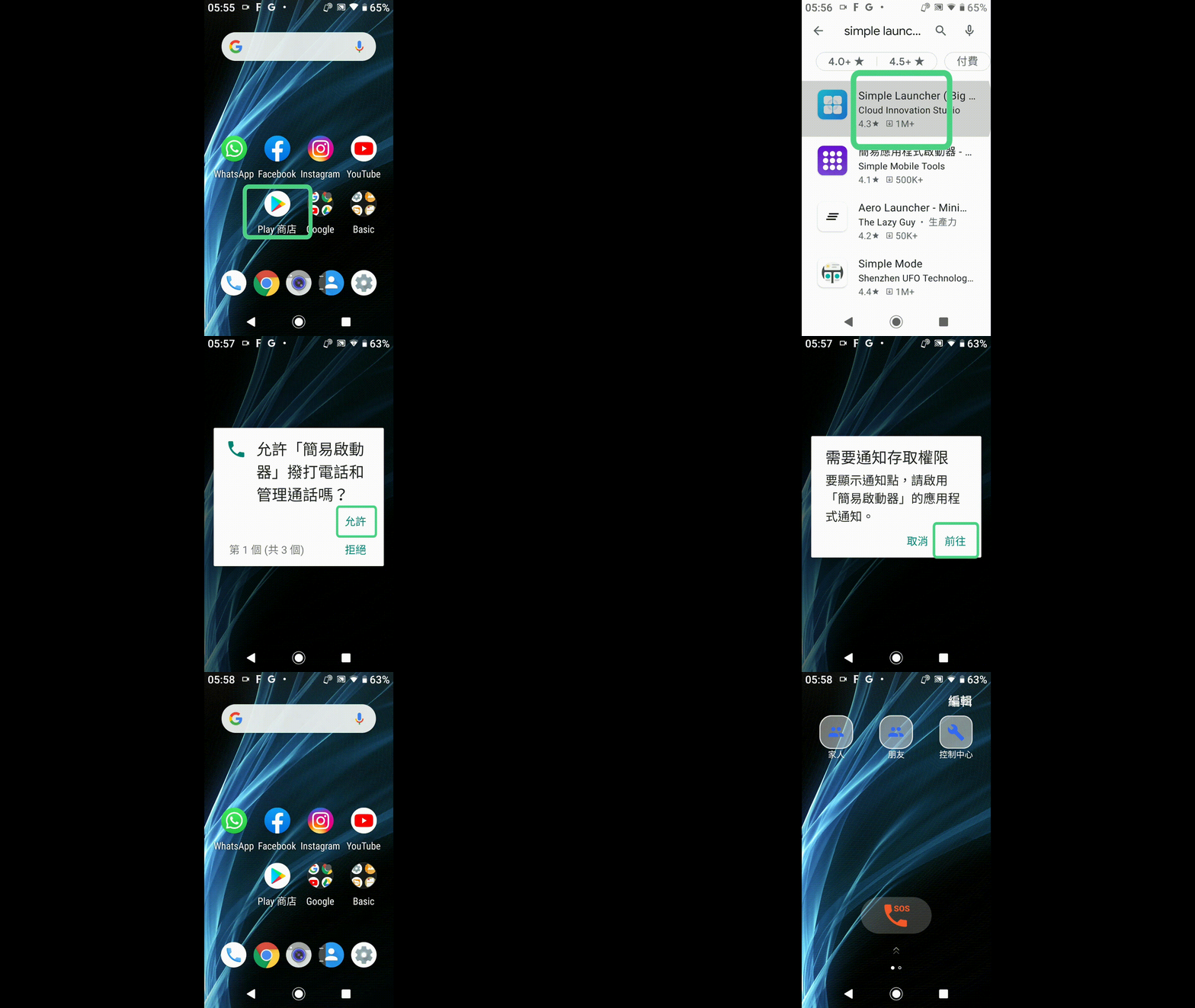
Link to Simple mode App on Google Play Store here:

2. Big Font – Change font size and display zoom ratio
Although Simple Mode can enlarge the icons on the desktop, the system fonts on the phone are still too small. When the elders use the phone, the fonts are still too small, making it difficult to clearly see the messages sent by the other party. So the editor recommends a second application that can change the system font size and display zoom ratio, and it is “Big Font”.
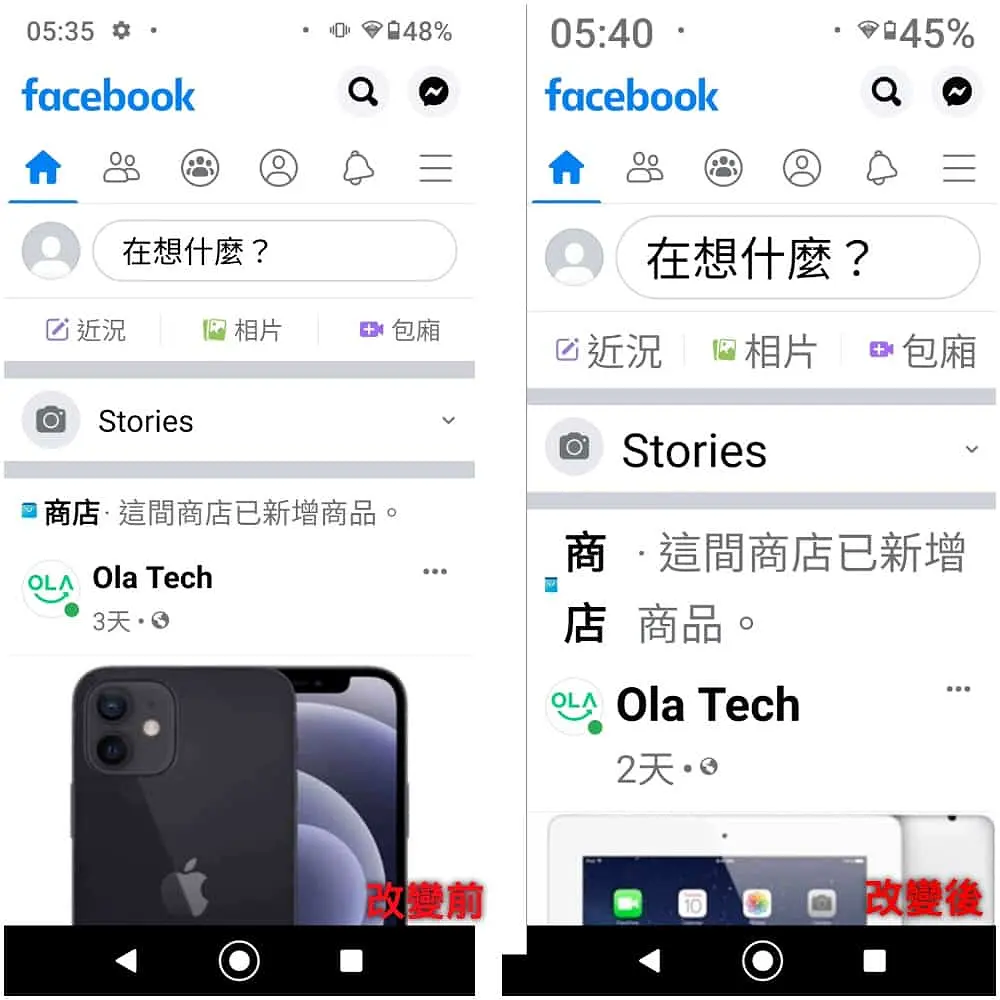
“Big Font” is very easy to use. Select the font size that suits you and make it as big as you want. We can also use the mobile phone’s built-in font magnification function, but the font magnification of most mobile phones can only be enlarged to 120% to 150%. The “Big Font” can enlarge the font to 500%.
The following is a before-and-after comparison of the font change and 200% magnification:
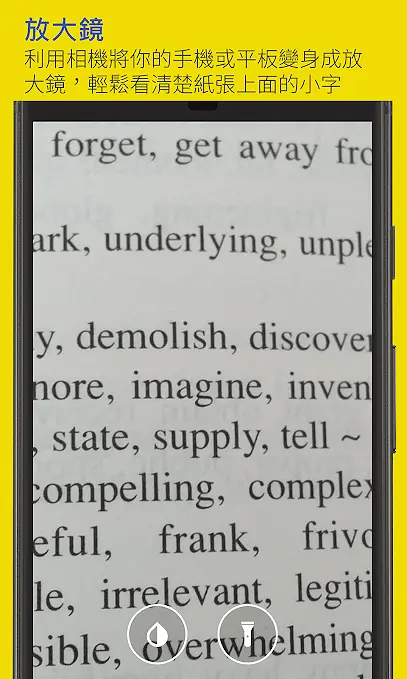
Another very useful function is the “magnifying glass”. Elders can use the phone’s lens to magnify objects, and the phone can also be remotely transformed into a magnifying glass.
Link to Big Font Apps on Google Play here:

Ola Tech gives mobile phones a new life. While buying used phones for our elders, we can also do our part for the earth, reduce electronic waste, and achieve carbon neutrality. All Ola Tech’s Android phones are shipped directly from Japan. Thanks to the Japanese habit of thrifting things, Ola Tech’s products are absolutely high-quality and defect-free!
Furthermore, we provide a 90-day warranty for everyone, and if any product breaks down, we will replace it, giving you an extra layer of protection when shopping!
Ola.Tech – High-quality electronic products with high CP value!